
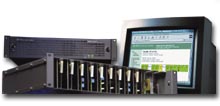
8900 Series Modular ProductsModular control and monitoring is quick and easy with our Web-based interface
Point your web-browser to an 8900 frame to quickly monitor its health, identify modules loaded in the frame, and customize its name. The color of the modules in the information window indicates its error status- green means everything is fine, yellow warns you of potential problems and red indicates a failure of some sort. Clicking on a module in either the information window or the navigation window to the left loads pages for configuring or monitoring the status of that particular module.
The web pages associated with a particular module allows you to set levels and other parameters, depending on the module, and to update the module software. The above page is an example of typical module web page. Each module typically has three to seven linked pages which become visible in the navigation window when the module is selected. |
|
|
||||||||||||


