Live Event Management System (LVS) Features
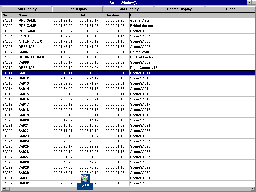
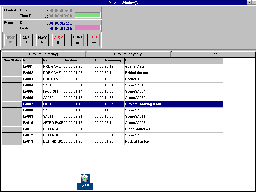
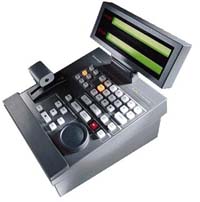
The LVS Event Management System for the Profile Professional Disk Recorder is the fastest and most versatile production system available for the coverage of live events. The LVS Controller and the LVS software provide the tools to turn a 2 or 4 channel Profile PDR into a multi-channel production system that can stand up to the rigorous demands of the high pressure, short deadline environment of sports and news broadcasting. Capturing, organizing, and replaying video in a live broadcast becomes a fast, intuitive operation. The Profile AdvantageThe Profile PDR allows continuous record capabilities along with simultaneous multi-channel replay of events. This means that truly instantaneous cue-up for replay or slow motion can be accomplished without risk of missing any action. Gone are the days when a great play went unrecorded because the VTR was cued for playback. Within seconds of beginning a recording, the Profile PDR can be cued for playback, ready to create any length delay required by the production. This dynamic delay capability resulted in an entirely new way to produce event broadcasts, as seen during the 1996 Summer Olympic Games. Random access to all material (previous or current recordings) without shuttling or jogging gives producers extraordinary flexibility to format a show on-the-fly as the situation demands. As quickly as a scene number or timecode is entered, the Profile PDR is cued for playback. "Click-to-cue" capabilities, using the mouse and informative graphical user interface, provide instantaneous cue-up of video material in the Library Window. The user-configured GUI can be customized for the event on hand. The LVS Event Management System helps get events on the air faster than ever. LVS Live ControllerThe compact LVS Live Controller is a remote control for a Profile PDR systems that provides extensive command of the LVS software as well. A familiar design to professionals in the mobile production environment, it is equally at home in the studio. The LVS Live Controller offers ergonomic, illuminated controls for rapid, fault-free operation. A backlit LCD provides vital information to the operator, making it possible to access most functions of the Profile LVS from the Live Controller. Operations personnel can concentrate on the action, not the interface. The controller includes transport controls (record, play, jog, shuttle, and variable speed play), a jog/shuttle knob for manual search and cue, and a custom designed T-bar for precise control of variable play. A full numeric keypad and dedicated keys for scene marking, searching, and editing recorded material complete the layout. The LVS software runs on the Windows NT platform of the Profile PDR and is required for operation of the LVS Live Controller. The sophisticated LVS software takes full advantage of the PDR multi-channel architecture and resources. By unifying extensive tools for the production of live events, the Profile LVS Event Management System will enhance the creativity and flexibility that is so important in this environment. LVS in SportsSpeed and accuracy pay off in the world of sports. The LVS Event Management System provides both, and much more. The LVS 100 replaces the aging VTR and controller combinations being used for instant and slow-motion replay. Logging and instant cue-up provide flexibility not possible with VTRs. Scene Windows, with independent scene lists for each input (999 scene capacity each), keep track of important action.
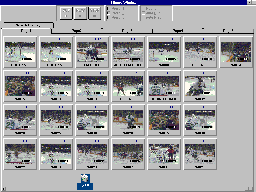
The LVSESW Enhanced Software Upgrade provides multi-function capability and expands functionality with many exciting features. The playlist window makes it possible to create sequences of scenes for highlights packages, half-time shows, and on-air game analyses. Preproduced vignettes or graphics can be stored in the Library Window for instant retrieval and playback to air, for incorporation in Playlists, or for editing into packages on the Nonlinear Timeline Editor. A Highlights Window provides a temporary storage area: picture based icons of the material facilitate fast identification and access. LVS in Network and Time Delayed BroadcastsShows produced for wide area distribution, where time zone delays occur, often require updating for rebroadcast. The LVS Event Management System can be used to record these programs and turn them around. Updates can be incorporated in the playout of the program to make them more timely for the rebroadcast. A seamless, accurate, up-to-date show can be presented to a later time zone with a minimum of difficulty, manpower, and equipment. The re-recording of segments, editing of packages, and reformatting of a show can occur while the show is airing. LVS and Dynamic DelayIn major, multi-event coverage, the LVS Event Management System can create a tight, smooth, exciting program by utilizing a dynamic delay in the broadcast of separate elements. Often, as in the Olympics, events overlap. This means that the audience frequently joins an event in progress. The Profile LVS Event Management System enables the producer to record a second event, while the first is ending, and have the beginning of the second event cued for playout within seconds of beginning the recording. When the first event ends, and the commentary is complete, the LVS can play the second event even while still recording the action. There is no need to calculate the delay, just press "Play." The Profile PDR continues to record at the same time it is playing out the event, maintaining the delay as long as the program calls for it. Profile Professional Disk RecordersThe LVS Event Management System provides the capabilities of a complete system, fully utilizing the Profile PDR feature set. Profile Professional Disk Recorders provide quick and reliable access to graphics and pre-recorded material. They can be used in any application that involves the recording, storage, manipulation, transfer, or playback of video. Profile Professional Disk Recorders provide random access, from up to 4 channels, to stored material for a wide range of editing and playback applications, including instant replay, slow motion, time-delay, and program delay. The Profile LVS Event Management system does not require a specially configured Profile PDR. All Profile PDR applications will run on the Profile PDR when it is not being used with the LVS Event Management System. Profile RAID Storage SystemBoth LVS software versions will run with a Profile PRS 200 RAID Storage system. The PRS 200 offers redundant data protection and instant access to source material. The PRS 200 Profile RAID Storage system replaces the PDR internal disk storage system. The PRS 200 uses RAID-3 technology to protect data from disk drive failures and to increase the storage capacity of Profile PDRs up to 96 hours.
|
|
|
||||||||||||||||||||||||||||||||||||||||||||||||||